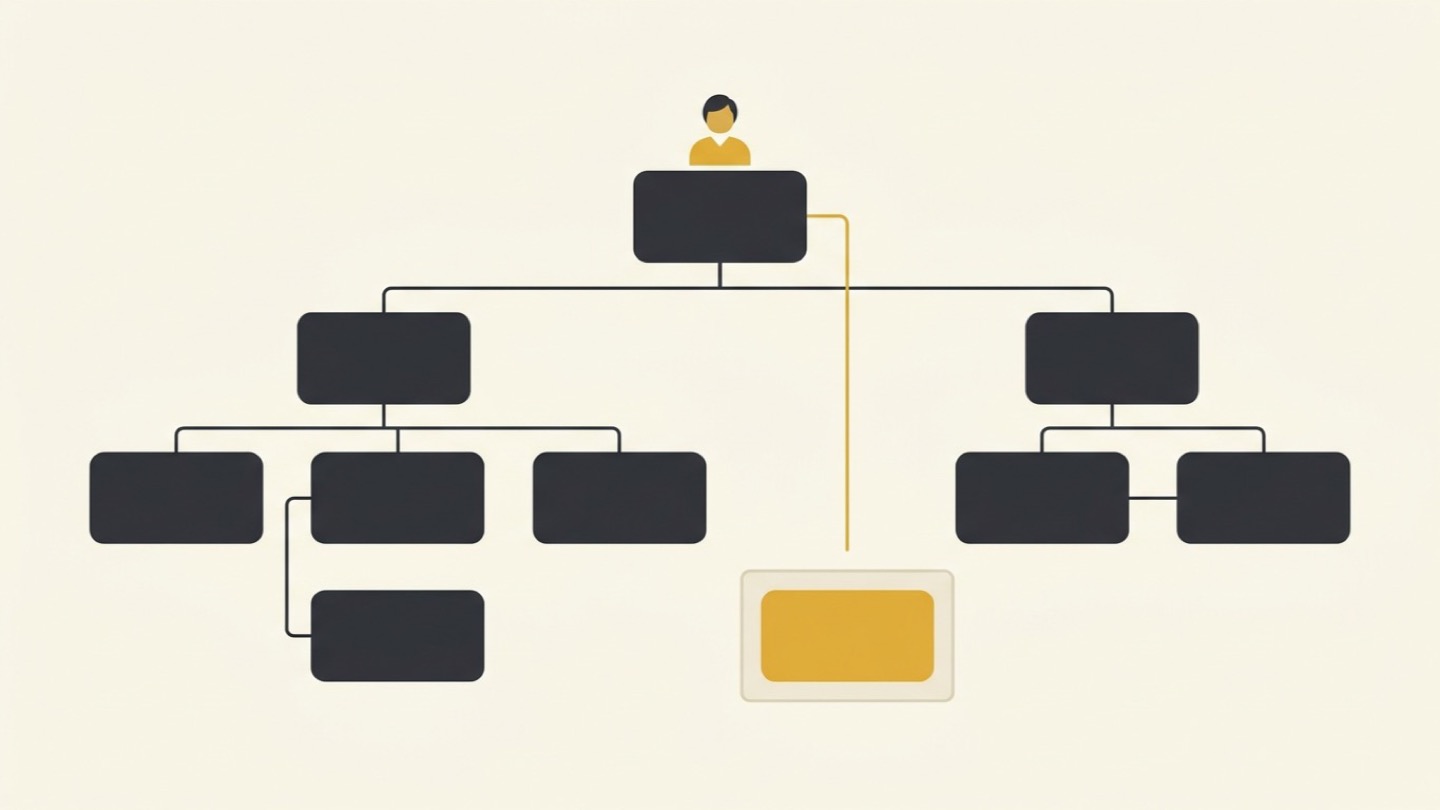

What is an always-on AI agent, and how do OpenAI's dots, Microsoft's Autopilot, Claude, Google and xAI's Grok Bot compare?
An always-on AI agent works toward a goal across your email, chat and documents after you close the laptop, and returns when a decision needs a person. As of October 5, 2026, OpenAI’s dots is rolling out on Pro and Business Premium plans, Microsoft’s Autopilot is in private preview, Claude runs scheduled tasks on every paid plan, Google offers agent flows in Workspace, and xAI’s Grok Bot comes with paid Cursor plans.
Most act as you, so decide first what the agent may do in your name.

Questions as you read? Ask, or take the first-agent screen with you.
Where should we send it?
Sent ✓ Download it now →
Work that keeps going after you close the laptop
For most people, an AI assistant has worked only while someone was in the conversation. You asked, it answered, and when you closed the window the work stopped with it.
An always-on agent keeps going. You give it a goal instead of a question, and it works toward that goal over days. It checks a channel on a schedule, follows a thread, updates a shared document, drafts the next message, and comes back to you when something needs a decision. It runs on a computer in the vendor’s cloud, so your own laptop can stay shut.
That puts a kind of work within reach that never fit a chat window. The weekly status round-up nobody wants to assemble. The follow-up with the people who still owe their part. The preparation for a supplier review, from the agenda to the reminders. None of it is hard, and most of it lands on whoever has the least time.
The second change matters more. Nearly every always-on agent a company can switch on this month signs into its tools as the person who set it up. It reads with that person’s access, and whatever it sends goes out under that person’s name. Colleagues, customers and suppliers will not see an agent. They will see you.
So the useful question is not which of these agents is the smartest. It is what you are willing to have done in your name while you are not looking, and whether you decide that before the agent starts or one approval at a time.
What you can switch on this month, and what you can’t yet
Five of these agents matter most for a company with a team, and they sit at very different stages. Microsoft’s is in private preview. Google’s round-the-clock agent is closed to work accounts. The rest arrive inside plans a company may or may not already pay for, which makes availability the first filter.
The table below shows where each stood on October 5, 2026. Names, plans and where the work runs changed several times in September, so treat it as dated. We will update it after Google’s Gemini at Work event on October 8.
| Agent | Runs on | Acts as | Who can use it | Price |
|---|---|---|---|---|
| OpenAI dots | OpenAI’s cloud | You, through your connected apps | Pro and Business Premium, rolling out; Enterprise in beta | First dot included |
| Microsoft Autopilot | Microsoft’s cloud, in your tenant | Its own identity | Private preview only | Copilot Credits |
| Claude | Anthropic’s cloud | You, through your connectors; Claude Tag uses a company identity | Scheduled tasks on every paid plan; Claude Tag in beta | In the plan; Pro is $20 a month |
| Google’s cloud | You, narrowed by an admin if set | Studio on Workspace business plans; Spark not on work accounts | Studio included | |
| xAI Grok Bot | One cloud computer shared by your Bots | You, as the signed-in person | Beta, with paid Cursor plans and SuperGrok; admin controls on Enterprise only | Included; Cursor plans from $20 a month |
Where to put your first AI agent.
A four-trait screen and a veto, so the first one you build survives contact with the work.
On its way. Check your inbox, or download it now →
OpenAI’s dots
OpenAI introduced dots at its developer conference on September 29. A dot is an agent that keeps a piece of work moving between conversations and checks in when a decision needs you. According to OpenAI’s documentation, it runs on GPT-6 Astra, on a computer and browser of its own in OpenAI’s cloud, so it carries on while your machine is off. It can run recurring tasks, react to events in connected services, and hand pieces of work to ChatGPT’s agent mode and to Codex.
You reach it in ChatGPT, in Slack or in Teams. Email, calendar and files come in through plugins, and 9to5Google reports that more than 4,000 apps can be connected that way.
The access model is the part to understand. A personal dot works through the plugins you have installed and the accounts you have connected, and OpenAI states it directly: “your existing ChatGPT app permissions apply to your dot.” On websites it signs in through a cloud browser session of its own, with credentials you enter in a private form.
Before any step that touches your accounts or shares information, an automatic review checks it against your instructions, permissions and rules, then lets the dot go ahead, asks you, or hands the step back. You can write rules in four modes, from acting without asking to handing the step off entirely, and some steps always stay with you. OpenAI also separates drafting from sending: permission to draft a message does not include permission to send it.
Dots are rolling out on all three Pro plans, for adults outside the EEA, the UK and Switzerland, and on Business Premium seats worldwide. Enterprise workspaces get them as a beta an administrator has to switch on, and during that beta dots offer no data residency. The first dot comes at no extra cost on Pro and Business Premium, and OpenAI says more will follow without a price yet.
The documentation is plain about the limits. Stopping a task does not undo what the dot has already done, and deleting a dot does not recall messages it sent or reverse changes it made.
Microsoft’s Autopilot
Microsoft announced Autopilot on September 25 as one of three parts of a rebuilt Copilot app, alongside Home and Code. Autopilot is the agent Microsoft previously called Scout, described as persistent, proactive and personal, an agent that keeps working when you are not.
You set it up with a name, a role and a goal. From then on it keeps track of the conversations it is part of, handles recurring work, and returns to a project days later without being asked. Microsoft’s own example is a supplier review run end to end, down to contacting stakeholders for updates.
It is also built differently from the others. In Microsoft’s words, Autopilot “lives in your tenant with its own identity, memory, computer and workspace.” You reach it by mentioning it in Teams or Outlook, the way you would a colleague.
Most companies cannot use it yet. Autopilot entered a private preview at the end of September, outside Microsoft’s Frontier early-access program and short of general availability, and Fortune reports that a wider rollout depends on how the testers rate it. It will be billed in Copilot Credits, which cost one cent each on pay-as-you-go, and Microsoft has announced no per-user price.
Microsoft has not yet published administrator documentation for Autopilot, so its default access and what it checks with you before acting are still open. Its predecessor gives a hint: Scout paused before sending email or posting in Teams and waited for the user to approve, always allow, or deny. Microsoft has also said that Scout ran on OpenClaw, the open-source agent project, a thread we pick up below.
What a Microsoft 365 company can use today is Copilot Cowork, which is generally available: you hand it a multi-step task and it runs the task end to end. It needs a Copilot seat, Copilot Credit billing switched on, and Anthropic’s models enabled in the tenant.
The one agent here built with an identity of its own is the one most companies cannot buy yet.
Anthropic’s Claude
Anthropic does not sell its version as a single product. The pieces sit inside Claude’s paid plans, and the most useful of them for unattended work is scheduling. Scheduled tasks run on every paid plan, hourly, daily or weekly, in Anthropic’s cloud while your computer sleeps, unless a task needs files on your own machine.
The desktop agent Anthropic launched as Cowork is being folded into plain Claude, starting with the Pro and Max plans, and from October 6 new Pro and Max tasks run in the cloud by default. On Team plans cloud runs are on by default; on Enterprise an administrator switches them on.
Claude reaches your systems through connectors, and connectors inherit each person’s permissions from the service they connect to. Routines in Claude Code, a research preview built for developers, go further: anything a routine does through your connected accounts appears as you, and routines do not pause for approval.
The exception is Claude Tag, Claude as a member of a Slack channel, in beta for Team and Enterprise. Anthropic says it can schedule tasks for itself and pursue a project over hours or days. Work it starts on its own runs under a company identity, with the tools an administrator assigned to that channel. Since September 24, people can attach their own connectors for their own requests, which are then logged under their accounts.
When Claude Tag launched, we wrote about what it takes to make an AI teammate in Slack useful. Most of that work happens before the agent joins the channel.
By default Claude asks before it acts, and there are three approval modes: approve each action yourself, let a classifier screen each action for data exfiltration and prompt injection and approve the rest, or skip approvals entirely. Anthropic’s own safety guidance says the chance of an attack is still non-zero and recommends reviewing past scheduled runs.
The capability comes with the plan. Pro is $20 a month, and Team Standard is $25 per seat monthly or $20 billed annually.
Google’s Workspace Studio and Gemini Enterprise
Google’s position is the mirror image. Its round-the-clock agent, Gemini Spark, keeps working after you close your laptop, but it is labeled experimental and not available on work or school accounts.
What Workspace customers do have is Workspace Studio, included on every Workspace business plan, where people build agent flows that start on an event such as a new email. By default a flow runs with the access of the person who created it. Administrators can require approval before steps such as sending messages or editing shared files, and since August they can give flows narrower agent identities.
Gemini Enterprise, a separate per-seat product that also works across Microsoft 365, adds a Workflow Builder that runs agents on schedules and triggers, with steps where a person has to approve. It is available on the Standard, Plus and Pay-as-you-go editions. Scheduled agents run on the user’s own credentials, which expire every 14 days and have to be renewed by hand.
Google’s Gemini at Work event on October 8 is billed around custom agents in Gemini Enterprise. We will update this comparison once it has happened.
xAI’s Grok Bot
xAI launched Grok Bot as a beta on August 11. It began as a prototype xAI’s own teams used for outbound sales, campaigns, office operations and bug fixes, and it works the way the others do: its Bots carry a multi-step job through while you are away and come back when they need an approval. All the Bots on an account work on one shared cloud computer, with its files, browser sessions and logins.
It is the clearest case of an agent that works as you. Cursor’s security documentation says each Bot acts as the signed-in person and can never hold more access than that person, and it hands logins, two-step verification and payments back to you. Approvals come as allow once, always allow or deny, and a request raised by work that started without you lapses after about ten minutes.
The distribution is the unusual part. Grok Bot is sold through Cursor, the coding tool that SpaceX bought in August and now runs alongside xAI. Since late August it has come with every paid individual Cursor plan and with self-serve Teams, as well as with xAI’s SuperGrok subscriptions. Cursor’s individual plans start at $20 a month.
Two details matter for a company with a team. A Team Bot that one person shares works through that person’s connected accounts for everyone who talks to it, and an administrator can push it to the whole team. And the company-wide switch, audit logs and network controls are reserved for Enterprise. On self-serve plans, members get Grok Bot without asking an administrator.
The AI Briefing
Tuesdays. 500+ leaders. No hype, just what works.
The question underneath: does it work as you, or as itself?
Lay the five side by side and one difference matters more than any feature list. An agent either borrows the identity of the person who set it up, or it has an identity of its own.
Almost everything available this month is the first kind. A dot works through your connected accounts under your permissions. Claude’s connectors inherit your access, and its routines act as you. Google’s flows run with their creator’s access unless an administrator narrows them. Grok Bot acts as the signed-in person and never holds more access than that person. Meta’s Muse, covered below, works the same way.
An agent that works as you borrows your access, and everything it sends arrives with your name on it.
The second kind is arriving from every direction at once, and most of it is still in preview or beta. Microsoft’s Autopilot has its own identity in your tenant. Claude Tag’s self-started work runs under a company identity. OpenAI is piloting specialist dots with their own identities, credentials and system access, and working with Microsoft to bring them under its Agent 365 governance. Google announced agent identities for Gemini Enterprise in April.
Neither kind is wrong; they fit different work. An agent that works as you suits your own inbox, calendar and documents, because it is an extension of you. It reaches what you reach, and you answer for what it sends the way you answer for anything with your name on it. An agent with its own identity suits shared work, a team channel or a recurring process, because it can be given less access than anyone on the team and its actions appear under its own name.
The second kind brings a question of its own. Someone has to own the agent, and the person accountable for it may not be the person who can change what it does. We took that question apart in our article on AI agent governance. This one stays with the first kind, because it is the one you can switch on this week.
Your access is the agent’s reach
An always-on agent that watches an inbox reads outside content all day. Every email, calendar invite and shared document is text, and today’s models cannot reliably tell the text they should act on from the text they should only read. The OWASP Top 10 for Agentic Applications, published in December 2025 by more than 100 security practitioners, ranks this first: an outside email, invite or Teams message can steer an agent into sending messages under a trusted identity.
The weakness has been demonstrated against real products. EchoLeak, rated critical in June 2025, let a single crafted email pull data out of Microsoft 365 Copilot without anyone clicking anything. ShareLeak hijacked a Copilot Studio agent through text typed into a public form, and the agent emailed customer data to the attacker through an Outlook action it was already allowed to use. Microsoft fixed it in January.
In January, researchers also showed hidden text in a document leading Cowork to upload a user’s files to an attacker’s account, at a time when no approval step stood in the way. Cowork now offers the approval modes described above. Radware reported a similar zero-click leak through ChatGPT’s research agent and Gmail in 2025, which OpenAI fixed.
The UK’s National Cyber Security Centre does not expect a clean fix. Its guidance says prompt injection will not be solved the way SQL injection was, and that “the best we can hope for is reducing the likelihood or impact of attacks.” It advises lowering the privileges of any model that handles an outside party’s content, and relying on safeguards that do not depend on the model. (NCSC, December 2025)
This is where the identity question earns its place. No identity setting stops a crafted message from steering an agent. What identity decides is how much a steered agent can do. An agent working as the founder can reach everything the founder can.
The vendors are not ignoring any of this. OpenAI’s review step checks each consequential action against your rules and its safety requirements. Anthropic’s automatic mode screens each action for exfiltration and injection. Google lets administrators require approval before data leaves the company. Each of these lowers the odds. None of them changes whose name the agent is acting under.
Approving every step is not supervision
The obvious safeguard is to make the agent ask before it acts. The evidence says that safeguard weakens with use. Anthropic reports that people approve about 93 percent of permission prompts in Claude Code, and that attention falls as the approvals pile up.
In a test Anthropic published in August, 1,053 paid professional testers had one permission prompt swapped for a clearly dangerous command. People caught it 13.6 percent of the time, against 89 percent for an automated classifier, and their catch rate fell from about 17 percent early in a session to about 5 percent after 50 or more prompts. Anthropic has an interest in that result, since the study supported making its automatic mode the default.
An independent study points the same way. Researchers from Johns Hopkins, Northeastern and three other universities watched 48 people oversee a computer-use agent across 192 live sessions, using four different oversight designs. Of 138 problematic actions that got as far as running, users stopped 29, about 21 percent, and no design reliably improved on that. People judged whether the agent was right, not whether the action was safe. (Chen et al., 2026)
One design helped more than the others in that study: showing people the agent’s plan before it acted cut the odds of an uncorrected problem by about three quarters. OWASP names the underlying pattern as a risk of its own, people trusting a fluent agent and approving without checking, and answers it with a principle it calls least agency: give an agent no more autonomy than the job needs.
For an always-on agent the conclusion is practical. What it may do in your name has to be decided before it starts, in writing, while you are thinking clearly, and not at the moment a prompt appears on your phone. OpenAI’s separation of drafting from sending is a good model. An agent that may prepare everything and send nothing without you still does most of the work.
Permission to draft is not permission to send.
Where to put your first AI agent.
A four-trait screen and a veto, so the first one you build survives contact with the work.
On its way. Check your inbox, or download it now →
Expect part of the job, done quietly
Set expectations by the evidence. The most cited measure of agent ability comes from METR, an independent research group, which estimates the length of task an agent can finish at a given success rate.
In its spring 2026 report, the best public models succeeded half the time on software tasks that take an expert around twelve hours. Ask for 80 percent reliability and the length falls to roughly an hour and a half, and METR notes its tasks are cleaner than real work. We found no METR figures yet for the models inside today’s products.
Office work looks harder. On OSWorld 2.0, a 2026 benchmark of 108 computer workflows that take a person about 1.6 hours at the median, the best agent tested finished 20.6 percent. The researchers found that agents “guess rather than ask the user, and skip verification.”
On EmailBench, a September 2026 set of 206 enterprise email and calendar scenarios from Microsoft researchers, the best model completed 33.5 percent, even though 99.7 percent of its tool calls ran without an error. The authors put the lesson in one line: “valid tool execution is not equivalent to task completion.” The newest models were not in that test.
Errors also build up quietly. In a Microsoft Research study across 52 professional fields, frontier models corrupted an average of 25 percent of a document’s content over 20 delegated rounds of editing, and the damage grew with longer documents and longer sessions.
One test does include the model behind dots. On the Remote Labor Index from Scale AI and the Center for AI Safety, which asks whether an agent’s deliverable on a real freelance project is at least as good as a professional’s, GPT-6 Astra led the leaderboard at 20.83 percent when we checked on October 5. The leaderboard carries no dates, so read it as a snapshot.
None of this argues against using an always-on agent. It argues for reading what the agent produces. An activity log shows what the agent did, not whether the work is right, and Anthropic’s documentation warns that a green run status only means nothing failed in the infrastructure. The standard you check the work against has to come from you, and writing it down is most of the work we describe in our piece on the AI chief of staff.
The wider field: Muse, OpenClaw and Hermes
Three more agents belong in the picture, less as options for a company with a team than for what they show about where the category is heading.
Meta’s Muse, launched on September 8, is a personal agent that keeps working on a virtual machine in Meta’s cloud. On September 29 Meta added small-business skills with connectors to Shopify, Stripe, QuickBooks and Slack, for adults in the US and Canada, free up to a limit or $20 and $100 a month. Muse browses as your activity, its terms make you solely responsible for what it does, and it has no team or administrator features yet. Meta has announced a business version through its Enterprise Platform, without dates.
OpenClaw, the open-source agent in our March comparison of OpenClaw, NemoClaw and Claude Cowork, now sits underneath one of the big products. Microsoft said in June that Scout ran on OpenClaw, and the OpenClaw project says Autopilot does too, although Microsoft’s Autopilot announcement does not mention it.
On September 29 the OpenClaw Foundation, a nonprofit whose backers include OpenAI, Microsoft and NVIDIA, announced OpenClaw Enterprise: a free, self-hosted platform for running persistent agents with separate tenants, sandboxing, fine-grained permissions and audit. It is not yet at version 1.0, it is recommended for internal pilots, and it runs on Kubernetes. Core OpenClaw, by its own security policy, trusts every signed-in caller and runs tools directly on the host unless sandboxing is set up, and it published ten security advisories on September 11, two of them rated high.
Nous Research’s Hermes Agent, released in February under the MIT license, is the self-hosted personal version. It remembers across sessions, writes and improves its own skills, runs scheduled jobs unattended, and talks to you through Slack, Telegram, WhatsApp or email. By default it runs commands directly on the host machine, and its default approval mode lets a second AI model decide which commands are low-risk. Hermes Cloud hosts one for you from $0.56 a day plus usage. We found no administrator, audit or single sign-on controls.
For a company without a security team, all three are pilots at most, run by someone technical, on accounts that hold nothing sensitive.
What stays with you
Handing over the doing is one thing. Handing over the judgment is another, and an always-on agent makes the difference visible. The agent can borrow your access. It cannot borrow your judgment: which customer needs a call, which supplier is a relationship worth protecting, which message should wait until tomorrow.
The agent can borrow your access. It cannot borrow your judgment.
Your name is the part of you that other people have learned to trust, and an agent acting as you spends that trust every time it writes. The people who use AI most already seem to know this. In Microsoft’s 2026 Work Trend Index, a survey of 20,000 people who use AI at work, 86 percent said they treat AI output as a starting point and stay responsible for the thinking.
Workers are not asking to be taken out of the loop either. Stanford’s WORKBank study of 1,500 workers across 104 occupations found that an equal partnership between person and AI was the most wanted arrangement in 47 of them.
In the short run, an agent adds work before it removes any. A former observability executive at a large telecom, interviewed for Deloitte’s State of AI in the Enterprise, described agents as creating more work at first: someone has to watch them, check the quality of what they produce, and handle the steps where a person must sign off.
That is what we mean by Humans First AI. The agent takes the hours. You keep the decisions that carry your name, and you decide in advance which ones those are.
Which one fits your company
For most smaller companies, the choice follows the tools the work already lives in, because an agent can only act where it is connected. The broader platform decision is the subject of our ChatGPT vs Claude vs Copilot vs Gemini guide. For always-on agents specifically, here is how it looks as of October 5.
If you run on Microsoft 365, Autopilot is built for you and you cannot have it yet. Use the wait. Copilot Cowork takes multi-step tasks today, and credit billing is the setting to decide on purpose: for enterprise customers, metered services stay off until an administrator creates a spending policy. If you expect to run agents with their own identities, Microsoft’s control plane for them, Agent 365, costs $15 per user per month.
If you run on Google Workspace, start with Workspace Studio and require approval before anything leaves the company. Gemini Enterprise is the step up for scheduled agents, and the October 8 event may change the picture.
If your company already pays for ChatGPT, dots arrive with Business Premium seats, which are listed at $125 per user per month, or $100 billed annually. Give them to the people whose work suits an agent, not to everyone. On Enterprise, the beta’s lack of data residency matters if your contracts say where data may be processed.
If you are on Claude, scheduled tasks are where to start, and Claude Tag is the option for a shared agent in a Slack channel. On Team plans, check the cloud setting, since it is on by default.
If anyone on your team pays for Cursor, check today. Grok Bot comes with every paid Cursor plan, and on self-serve plans members get it without asking an administrator, acting through their own accounts. The company-wide switch and the audit log sit on Cursor’s Enterprise plan.
And if your company is in the EU, the UK or Switzerland, check availability before anything else. Dots on the Pro plans and Google’s Spark are both closed there.
Switching on the first one
Most companies can set up the first agent on their own. Outside help earns its fee at the next step: when agents start acting for more than one person, when they touch customer data, or when someone has to write down, for the whole company, what an agent may do in its name.
That is policy and permissions work more than technology, and it goes faster with someone who has seen how it fails elsewhere. We build AI agents for business on those terms. Whoever you work with, one test applies: after they leave, can your own people change the agent’s rules without calling them?
The agent will keep working while you sleep. Decide today what it may say in your name.
Write the Delegation Brief for Your First Always-On Agent
Pick one goal you would hand to an always-on agent. Paste this into the AI assistant you already use. It interviews you and produces a one-page brief you can paste into the agent’s instructions or rules.
Context: I want to switch on an always-on AI agent that works toward one goal across our email, chat, calendar and documents while I am away. The goal is [DESCRIBE IT]. The agent will act through my accounts and permissions, so anything it sends goes out under my name. Interview me one question at a time, push back when my answers are vague, and draft only from what I tell you.
Step 1. The goal: Ask what done looks like, how I would know the agent achieved it, and when it should stop and report back.
Step 2. The three lists: Ask which actions it may take without asking, which it must ask about first, and which it must never take. Challenge anything on the first list that sends, shares, deletes or pays.
Step 3. The reach: Ask which systems, folders and channels the goal actually needs, and suggest what to leave unconnected.
Step 4. The record: Ask when I will review its work, what it should summarize for me, and what should make it stop and wait.
Output: A one-page delegation brief with the goal, the three lists, the systems it may reach, the review rhythm and the stop conditions, written as plain instructions an agent can follow.
The brief is a starting point, not a security review. If the agent will act for more than one person or touch customer data, have someone check its permissions before it runs. See where you stand →
Sources
- OpenAI: Meet dots, Computers and apps, Controls and Cloud and local access for Enterprise (documentation, read October 2026)
- OpenAI launches dots (TechCrunch, September 2026), OpenAI’s dots agent (9to5Google, September 2026), OpenAI launches dots and Premium ChatGPT seats (PYMNTS, 2026), Specialist dots (IT Brief Asia, October 2026)
- Microsoft: Introducing the new Copilot with Home, Code and Autopilot (September 25, 2026), Introducing Microsoft Scout (June 2026), Scout common questions, Copilot Credits Guide (October 2026), Evolution of the Copilot pricing model (September 2026), Copilot Cowork on the roadmap, Agent 365
- Microsoft unveils Copilot super app (Fortune, September 2026)
- Anthropic: Schedule recurring tasks, Cowork on web, desktop and mobile, Cowork on Team and Enterprise plans, Get started with Claude Cowork, Use Claude Cowork safely, Use connectors, What is Claude Tag (Help Center, read October 2026), Cowork is now Claude (September 2026), Introducing Claude Tag (June 2026), Claude Tag personal connectors (September 2026), Routines, Pricing
- Google: Gemini Spark (May 2026) and Spark help, Workspace Studio (December 2025), Flows’ access to data, Approvals, Studio security controls (August 2026), Workflow Builder, Scheduled agents, What’s new in Gemini Enterprise (April 2026), Gemini at Work 2026
- Meta: Introducing Muse, Muse for Small Business and Meta Enterprise Platform (September 2026), Security and safety with Muse, Muse for business, Terms, Privacy policy, Subscriptions (read October 2026)
- xAI and Cursor: Introducing Grok Bot (August 2026), Grok Bot FAQ, Grok Bot security, Team Bots, Grok Bot FAQs, Pricing, Grok Bot on paid plans (August 2026); SpaceX closes its purchase of Cursor (9to5Mac, August 2026)
- OpenClaw: OpenClaw Enterprise (September 2026), The OpenClaw Foundation (July 2026), Autopilot and OpenClaw (September 2026), Security policy and advisories
- Nous Research: Hermes Agent, Configuration, Security, Hermes Cloud (read October 2026)
- OWASP Top 10 for Agentic Applications for 2026 (OWASP GenAI Security Project, December 2025)
- EchoLeak, CVE-2025-32711 (June 2025), ShareLeak, CVE-2026-21520 (Capsule Security, which sells agent security, April 2026), Claude Cowork exfiltrates files (PromptArmor, January 2026), Radware on a zero-click ChatGPT vulnerability (press release, September 2025)
- Prompt injection is not SQL injection (UK National Cyber Security Centre, December 2025)
- How we contain Claude (Anthropic, May 2026), Auto mode as the default in Claude Code (Anthropic, August 2026)
- Comparing human oversight strategies for computer-use agents (Chen et al., arXiv, September 2026)
- Frontier risk report and Time horizons (METR, 2026), OSWorld 2.0 (arXiv, July 2026), EmailBench (arXiv, September 2026), DELEGATE-52 (Microsoft Research, April 2026), Remote Labor Index (Scale AI and Center for AI Safety, read October 5, 2026)
- Work Trend Index 2026 (Microsoft, May 2026), WORKBank (Stanford, arXiv), State of AI in the Enterprise (Deloitte, January 2026)
Frequently Asked Questions
What is an always-on AI agent?
An always-on AI agent works toward a goal you set across your email, chat, calendar and documents, and keeps going after you close the laptop because it runs on a computer in the vendor’s cloud. It can run on a schedule, react to new messages or events, and comes back to you when a decision needs a person. OpenAI’s dots, Microsoft’s Autopilot and Claude’s scheduled tasks are current examples.
Can my company use OpenAI's dots?
If you pay for ChatGPT Business, dots are rolling out on Business Premium seats worldwide, and the first dot comes at no extra cost on those seats. Enterprise workspaces can switch dots on as a beta, without data residency during the beta. Individual Pro plans include them for adults outside the EEA, the UK and Switzerland. Free and Plus plans do not include them, and OpenAI does not list standard Business seats.
When will Microsoft Copilot Autopilot be available?
Microsoft opened a private preview of Autopilot at the end of September 2026 and has not given a date for wider availability. It will be billed in Copilot Credits rather than a per-user price. Microsoft 365 customers can use Copilot Cowork today for multi-step tasks, which needs a Copilot seat and credit billing switched on.
Does Claude have an always-on agent?
Claude runs scheduled tasks in Anthropic’s cloud on every paid plan, so recurring work continues while your computer is off. Claude Tag, in beta for Team and Enterprise, puts Claude into Slack channels, where it can schedule tasks for itself and pursue a project over hours or days. The desktop agent sold as Cowork is being merged into Claude itself.
Does Google have an always-on agent for business?
Not in the same sense yet. Google’s round-the-clock agent, Gemini Spark, is experimental and not available on work or school accounts. Workspace customers can build agent flows in Workspace Studio on every business plan, and Gemini Enterprise runs scheduled agents on its Standard and Plus editions.
What is Grok Bot, and can a company use it?
Grok Bot is xAI’s always-on agent, in beta since August 11, 2026. Its Bots carry out multi-step work on a shared cloud computer while you are away, acting as the signed-in person. It comes with paid Cursor plans and xAI’s SuperGrok subscriptions, and its company-wide controls, including audit logs and an off switch, are only on Cursor’s Enterprise plan.
Is it safe to let an always-on agent read my email?
It is a real risk to manage, not a reason to refuse. Any agent that reads outside content can be steered by a crafted email or document, and the UK’s National Cyber Security Centre expects that risk to be reduced, not eliminated. Keep the agent’s access narrow, require your approval before it sends anything outside the company, and read its work on a fixed schedule.
Does an always-on agent act as me or as itself?
Most of the agents available today act as you: they use your connected accounts and permissions, and what they send arrives under your name. Microsoft’s Autopilot, Claude Tag’s self-started work and OpenAI’s specialist dots have identities of their own, and most of those are still in preview or beta. Agents with their own identity can be given less access than any person, but someone in the company has to own them.