What is AI enablement, and what comes after the rollout?
AI enablement is the work of helping a team use AI well, and it has two phases. The first, seats plus a few training sessions, builds individual fluency: in EY’s 2025 survey, 83% of US desk workers said most of what they know about agentic AI they taught themselves. The second phase is organizational.
It turns private habits into shared workflows that someone owns, tests against a written standard, and keeps, fixes or retires based on what they deliver.

Questions as you read? Ask, or take the assessment with you.
Where should we send it?
Sent ✓ Download it now →
Everyone has a seat, and the work stopped getting better
“Everyone has the licenses and uses them. Why does it feel like we stopped getting better?”
Most of the conversations we have been in lately circle some version of that question. Two this month made it concrete, one with a global software company already on Claude company-wide, one with a nonprofit. The story was the same in both. Everyone got a seat. There were one or two enablement sessions, mostly about connecting the tools to email and files. Then people went off and taught themselves.
It worked, up to a point. Usage is good. People have become self-taught AI experts, each with their own private use cases. And the improvement has stalled. The same assistant gets built twice by two teams that never compare notes. A manager cannot see what anyone has built. Output gets checked, but against each person’s own sense of what looks right. Only a few people have moved from asking questions in a chat window to building something the team can reuse.
We said it on one of those calls: many companies get to that level, and then they stop.
In June we wrote about why your team isn’t using AI at all. The teams here use it every day: the licenses worked, the people are willing and the habits are real. What they don’t have is anything the team built together.
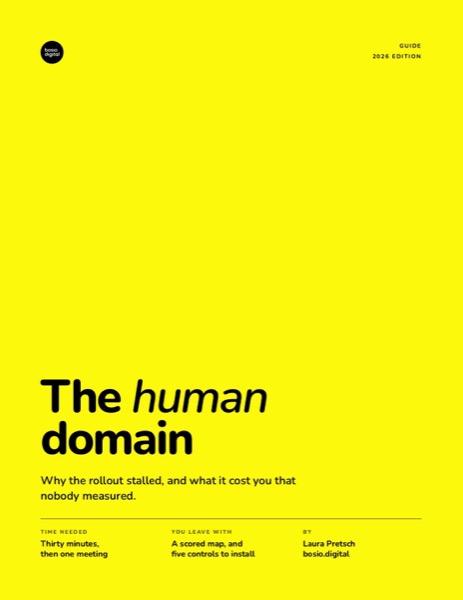
The Human Domain.
The assessment, five scored dimensions, and the interval controls that keep judgment yours.
On its way. Check your inbox, or download it now →
What is AI enablement once everyone already uses AI?
AI enablement is the work of helping people use AI well in their actual jobs. Once everyone already uses AI, that work moves from each person to the team. In most companies it has meant the rollout: seats, a session or two, and maybe a few enthusiasts who answer questions. That first phase matters. Without it, nobody starts.
In the first phase, each person learns what the tool can do for their own work, at their own pace, with their own prompts. In the second, the team works out what it shares, what it can rely on and what it can see.
Most AI enablement programs end after phase one because phase one has a visible finish line: seats activated, sessions delivered, a usage dashboard showing daily activity. Phase two has no finish line. Its output is a team that keeps getting better at its work with AI, and that shows up slowly, in the work itself.
Phase two also has no owner by default. IT owns the licenses. HR or a learning team owns training. Each person owns their own habits. The layer in between, where one person’s good workflow becomes the team’s, belongs to nobody, so nobody builds it. If your AI adoption strategy ends at the rollout, you have planned phase one and are hoping phase two happens on its own.
The AI Briefing
Tuesdays. 500+ leaders. No hype, just what works.
Why is the AI adoption plateau hard to see?
The AI adoption plateau is hard to see because nobody complains: each person’s own use keeps paying off for them.
OpenAI’s report on enterprise use, published in December 2025, shows that people who use AI every day do reach for the advanced features. Among people who used ChatGPT at work at least monthly, about one in five had never tried its data analysis. Daily users nearly all had tried it.
GPTs are custom assistants that one person builds and others can use. At the leading firms in OpenAI’s data, more of the work runs through tools somebody built once for many people.
OpenAI’s chief economist, Ronnie Chatterji, wrote in the report’s foreword that the models can already do “far more than most organizations have embedded into workflows.”
Self-teaching works for the individual
Anthropic’s Economic Index, published in March 2026, found that people who had used Claude for six months or more were more likely to have a successful conversation, used it more for work, and went back and forth with it more. Anthropic called the pattern “consistent with learning-by-doing.”
Self-teaching is also how most people learned, and leadership rarely sees it. In the same EY survey, about half of senior leaders said their company had fully rolled out training on agentic AI, the kind that carries out tasks by itself. A company can finish a training rollout and its people can still learn mostly on their own.
In BCG’s 2026 study, regular AI use among frontline workers rose from about half to about three quarters in a single year. People started using AI without being taught.
Self-teaching also stays with the person. Microsoft’s 2026 Work Trend Index found that the teams furthest along with AI share tips and mistakes with each other 61% of the time, against about a third for everyone else.
Section tested more than 5,000 US knowledge workers on real tasks for its 2026 proficiency report. Almost three quarters landed in the middle band it calls experimenters. About one in twenty reached practitioner or expert. People who teach themselves try a lot, and little of it becomes a method anyone else can use.
What does a team have to build together?
A team has to build shared context, reusable workflows, a standard for good output and a way to see the work, and each one needs people to agree.
Shared context
Every conversation with AI starts with what the AI knows about your situation. When each person supplies that alone, from memory, each gets a different version of the company: different goals, different client facts, a different sense of where projects stand. Shared context means the team’s goals, clients, standards and current state are written down once and reach every conversation. We cover how that gets built in the AI second brain for business.
One person cannot build shared context, because it requires the team to agree on what is true. Which client is a priority this quarter, what the house style is, what the current price list says: each of those is a small decision someone with authority has to make and write down. A self-taught expert can keep a brilliant private version, and it helps nobody else.
Reusable workflows
When someone finds a good way to do a recurring task with AI, such as a client recap, a status update or a monthly report, that method lives in their chat history. A reusable workflow is the same method written down so anyone on the team can run it, as a skill (a saved set of instructions the AI follows every time), a template, or a scheduled task that runs on its own.
A standard for good output
Most people do check what AI gives them. BCG found that about half of workers now spend more time reviewing and correcting AI output. But most of them check against “sounds right”, and that differs from person to person and from Monday to Friday. A shared standard is the team’s written answer to a plain question: what does good look like here? The facts that must be right, the format, the tone, and the things that must never go out.
People write that standard, own it, and decide when it changes. The AI follows it, and your people keep the judgment. We call that Humans First. We wrote about why that check gets harder as AI gets better, and how AI erodes executive judgment when nobody protects the pause before saying yes.
A way to see the work
In most teams the AI work happens in private chats, private assistants and private shortcuts, so a manager has nothing to look at. The team needs to know what has been built, who uses it, and whether it works.
AI platforms now include a shared library
The AI platforms have started to build for this second phase. In Claude, according to Anthropic’s documentation, members on Team and Enterprise plans can publish a skill or plugin they made to the organization’s library with a “Publish to org” button. Owners can require review first. A pending request that looks like something already in the library gets tagged “Possible duplicate.” Items the organization uploads keep a version history, and the admin page shows how many people used each item in the last 30 days.
The defaults are moving toward openness. On Team plans, publishing to the whole organization is open by default, with no review. Anthropic’s documentation says that starting November 4, 2026, the Enterprise default also changes to open for organizations that have the automatic security check turned on: published skills and plugins go into the library once they pass the automatic scan, without waiting for an admin. Organizations that already chose a setting keep it. We covered how to set up Claude skills for a team, including which default to change first.
Claude Enterprise also offers an analytics dashboard and an API that report each person’s daily activity and the adoption of projects, skills and connectors, according to Anthropic. Conversation content is only available through a separate compliance tool. Google added Gemini usage reports for all Workspace customers in February 2026, broken down by feature, app and user, according to its Workspace updates blog.
Since October 28, 2026, Claude Enterprise also has smart reports, which show what a team gets done with Claude, where it gets stuck, and which recurring workflows could become shared skills, according to Anthropic. Anthropic says they are not for evaluating individual performance.
None of these reports can tell you whether the work meets your team’s standard. A suggestion to turn a workflow into a skill still needs someone to write it, test it and share it. The duplicate tag only appears when someone tries to publish, and people who keep their own version private never trigger it.
Your admin can switch the library on. People only fill it when the way the team is run changes.
Why do people keep their best AI work to themselves?
People keep their best AI work to themselves because sharing invites judgment. A workflow you keep private can be rough. A workflow you publish to the team will be looked at, used on real work, and compared with how someone else would have done it. For many people, the safer move is to keep the clever thing to themselves.
The cost lands on the sharer and the benefit lands elsewhere. Writing a workflow down so a colleague can use it takes effort: cleaning up the prompt, explaining the steps, answering questions. The time saved shows up on someone else’s desk. Without a reason to do it, most people don’t.
Nobody gets credit. In most companies, nobody notices the person whose proposal workflow now saves the whole team effort every week. Their name is not on it, and it does not come up in their review.
In a year when many companies announce they are AI-first, some people quietly treat their AI skill as their protection, and sharing it can feel like handing over what makes them hard to replace. People in different offices or departments can build the same assistant without ever knowing, because there is no place where either would see the other’s work. Building your own also feels faster than searching for someone else’s, especially when there is no library worth searching.
Is letting everyone experiment enough?
Stephan Pretorius, the chief technology officer of the advertising group WPP, told Fortune in January 2026 that he prefers broad experimentation over top-down mandates: give many people “general-purpose tools that you teach them how to use.” WPP staff had built more than 75,000 agents by the end of 2025, Fortune reported. BBVA, the Spanish bank, runs more than 4,000 GPTs, according to OpenAI’s report.
He has a point. Experimentation is cheap, it finds uses nobody would have planned, and some duplication is the price of letting many people try. We would start the same way.
Thousands of agents only add up if somebody can find the good ones, check them, and retire the rest. Otherwise the company owns a large collection of experiments, each kept alive by one person’s memory of how it works.
Two economists, Humlum and Vestergaard, linked Danish survey data to payroll records and found essentially no effect of AI chatbots on earnings or hours so far; any effect was smaller than 2%. Tools or training alone do not pay back by themselves.
Let everyone experiment first. Then decide, as a team, which experiments become the way you work.
The Human Domain.
The assessment, five scored dimensions, and the interval controls that keep judgment yours.
On its way. Check your inbox, or download it now →
How do you move from guerrilla AI use to a system?
You move from guerrilla AI use to a system by writing good work down as workflows with an owner, testing them, sharing them and reviewing what they deliver, one team at a time. Guerrilla use is what most companies have right now: everyone improvises, nothing is tested, and nothing is kept when the person moves on. It produces real wins, one person at a time. A team that agrees to work the other way can do it without engineers.
From a good chat to a workflow someone owns
Someone drafts a proposal with AI, and it comes out well. Ask them what made it good: which background they pasted in, which instructions they gave, which corrections they made on the second and third try.
Write those things down so the next person gets the same result without the same trial and error: what goes in, the steps, what good output looks like, and who owns it. On Claude, the written form is often a skill. Elsewhere it may be a saved prompt, a template, a custom GPT, or a scheduled run that produces the weekly report without anyone asking.
Whatever the format, name an owner: the person who keeps the workflow current when the way the team works changes, answers questions about it, and decides when it needs a fix. A workflow without an owner keeps running after the standard behind it has moved, and it quietly gets worse while everyone still trusts it.
When the author goes on leave or changes roles, an owned workflow keeps working because it no longer lives in their head. Write it so a new hire could run it on their first day.
Test it before you share it
Teams usually test an AI workflow by looking at one output and deciding it seems fine. That misses the unusual client, the missing number, the request the workflow was never written for.
Keep a small set of real examples where you already know the right answer. For a proposal workflow, that might be a handful of past proposals your team was proud of, plus a few tricky requests: a client with an unusual budget, a brief with information missing. Before the workflow is shared, run it on every example and compare the output with the known-good version. Run them all again every time someone changes the workflow.
A person, ideally the owner, checks each output against the written standard, so the check stays the same whoever does it. AI can help run the examples and flag likely problems, but a person makes the call.
When something fails, write it down: what happened, why, and what rule would have prevented it. Then add the rule to the workflow, and add the failing case to the examples so it gets checked every time from then on. Over time, the examples become the team’s memory of everything that has gone wrong, and the workflow gets harder to break.
Our own failure log, turned into gates
We run our own firm on an AI system we built for ourselves, and we keep a failure log in it. Every time something goes wrong, we log what happened, why, and the rule that would stop it.
Writing the rules down was easy. At one point our file of lessons had grown to 1,248 lines that, we found, no working session ever read, because nothing in our system was set up to open it. We moved each rule to the place where the work that needs it happens, so it gets read every time that work runs.
We had written the rules, and no session ever read them.
In August, one of our articles went live with its FAQ section broken, because a single heading was typed in lowercase. The rule already existed, in a document. So we wrote a short script that checks every article before it can be published: its length, a source for every number, the links, the FAQ, and our house style rules. If the script fails, the article does not go out. This article had to pass it too.
We are two partners, and we can do this. Your team does not need a script to start: the test examples from the last section already make a team far harder to fool than “sounds right.”
See what works, then keep, fix or retire
Once a workflow is shared: does the task take less time than before, by the honest account of the people who use it? Does the output meet the written standard, on the test examples and in real use? And do people other than the author run it?
Few teams check whether anyone but the author runs it. If only the author uses a workflow, it is still a private habit, however good it is.
Then decide at a regular review: keep what earns its place, fix what is close, and retire what nobody uses or what keeps failing the standard. Someone has to be looking for duplicates to find and retire them. Count the failures that became rules, too, and how many people publish anything beyond the few enthusiasts who always do.
Keep every measure at team level. You want to see what the team built and whether it works, and never to rank or judge individuals. The moment a usage report turns into a performance review, people take their work back into private chats, and you are back to private habits.
How do you prove what AI is worth?
You prove what AI is worth by measuring defined workflows against a baseline, because a private chat gives you nothing to measure.
Leaders commonly ask for one kind of number: AI raised our close rate, cut our turnaround, or let each partner cover more clients. With guerrilla use, nobody can produce that number. A private chat has no baseline, no defined unit of work and no owner. The team does not know how long the task took before, what counts as one instance of it, or who would notice if it got worse. So “time saved” becomes a guess.
OpenAI’s survey found that workers who use AI across about seven kinds of tasks report five times the time saved of workers who use it for about four, by their own estimate. BCG found that two thirds of frontline employees get limited or no guidance on what to do with the time AI saves them. Time that nobody measured and nobody redirected rarely reaches a business result.
A defined workflow can be measured. Before it goes live, take a baseline of the task: how long it takes, how often it goes wrong, how fast it turns around. Run the workflow, and measure the same things after. Because the workflow runs the same way every time, the before and after compare like with like.
If nobody uses the proposal workflow, it cannot be what moved the close rate. If the workflow saves time but fails its quality standard, any change in the close rate has some other cause. A chat, however good, shows up in none of the three layers, because there is nothing defined to count.
How should you roll out AI enablement?
Roll out AI enablement one team at a time. A company-wide program spreads the effort so thin that nothing gets tested or kept. One team, with a real workflow and a real review, gives everyone else something to copy.
Look first. Before you change anything, ask each person on that team to show what they have built with AI. You will usually find duplicates, a few clever shortcuts, and at least one workflow worth sharing.
Leaders go first. In Section’s 2026 study, about one manager in five had shown their own AI use to their team in the previous month. Gallup found that among frequent AI users, 78% strongly agree their manager supports their AI use, against 44% of everyone else. People share when the person they report to shares, and when it earns them credit: say whose workflow it is, in the team meeting and in the workflow itself.
Give each team an AI Enabler: one person with protected time to collect what people build, help turn the good parts into owned workflows, run the tests, and keep the review going on a schedule. A volunteer answering questions in spare minutes cannot keep that up.
Set a rhythm. Monthly is a reasonable start. Each review asks what the team built, what broke, and what should be retired. What works moves to the next team, which starts by looking first.
People still need training on what the tools can do. Add to it how a team builds workflows, tests them, and decides which ones stay.
When does AI enablement need outside help?
A team can do most of AI enablement on its own; outside help pays off where agreeing is hard from the inside. Agreeing on the written standard means settling arguments people have avoided, and an outsider can hold that conversation without a stake in who wins. Knowing which workflows are worth building comes faster with a library of what has worked in other companies. And a review rhythm holds better when someone outside the team expects it to happen.
Our AI adoption training and enablement work is built around that second phase: finding what people already built, turning the best of it into documented and tested workflows, and setting up the review that keeps them honest.
Visual Facilitators, a Hamburg firm known for visual facilitation and graphic recording, had this problem. Everyone used AI their own way, at their own level, and roughly 40 agents, skills and automations had piled up with no oversight and no way to test them, so whether an output was good came down to luck.
We rebuilt those 40 as shared skills in one system the whole team runs, with a quality check on every output before it ships (details in the published case study). Because proposal drafting became a defined workflow, it could be measured: a first draft that took 90 minutes now takes 30. Its founder, Mathias Weitbrecht: “And when the engagement was over, we were not stranded. We kept building on our own.”
Whoever you work with, ask what your team will own when the engagement ends: the workflows, the test examples and the habit of reviewing them.
The next phase is yours to build
Your people are willing, the habits are real, and some of them have built things worth sharing. Now leaders have to make the good work visible, give it an owner, test it, and decide what stays.
Pick one team. Find the one workflow everybody would want, write it down, and test it before you share it. Then see what changes when the best thing one person learned becomes something the whole team can rely on.
Turn One Private AI Habit Into a Tested Team Workflow
Paste this into your AI assistant together with one real example of a task you already do well with AI, such as a proposal, a client recap or a monthly report. You get a written workflow your team can follow, a short quality standard, and a first set of test cases.
Context: I run a [size]-person [type of team or firm]. One person on my team does this task well with AI: [task]. Below is one example of their finished work that we were proud of, and here is what made it good: [two or three sentences]. I want to turn this into a workflow anyone on the team can run, with a named owner, before we share it.
Step 1. Write the workflow and the standard: Write the workflow as plain numbered steps: what goes in, what the AI should do, and what to check before the result goes out. Then write a quality standard of no more than eight lines: the facts that must be right, the format, the tone, and the things that must never appear. Mark anything you had to guess with [CHECK].
Step 2. Build the test cases: Propose six test cases for this workflow: three typical requests based on my example, and three tricky ones (missing information, an unusual client, a request just outside what the workflow covers). For each, describe what a good result must contain, so a person can compare the output against it.
Output: The workflow, the quality standard, the six test cases with what good looks like for each, and a short list of the [CHECK] items for the owner to answer.
The prompt gives you a draft workflow to test. Running the tests, deciding what the standard really is, and choosing which workflows the team keeps are conversations your team has to have with each other. See where you stand →
Sources
- New EY survey reveals majority of workers are enthusiastic about agentic AI (EY, October 23, 2025): 83% self-taught on agentic AI; 52% of senior leaders report training fully rolled out
- Work Trend Index 2026: Agents, human agency and the opportunity for every organization (Microsoft, May 5, 2026; vendor): 19% documented team workflows, 61% vs 36% sharing, organizational vs individual factors
- The State of Enterprise AI (OpenAI, December 2025; vendor): usage multiples, feature use by frequency, GPT use at frontier firms, self-reported time saved by breadth of use, BBVA, Chatterji foreword
- AI at Work 2026 (BCG, June 2026): 36% feel properly trained, frontline use, guidance on time saved, time spent reviewing AI output
- AI Proficiency Report 2026 (Section, June 2026; Section sells AI training): proficiency bands, managers demonstrating their own AI use
- The workplace separates adopters from holdouts (Gallup, April 12, 2026): manager support among frequent users
- Anthropic Economic Index, March 2026 report (Anthropic, March 24, 2026; vendor): longer-tenure users and learning-by-doing
- WPP’s CTO says AI is reshaping advertising but creative judgment needs to remain in human hands (Fortune, January 21, 2026): Pretorius on broad experimentation; 75,000+ agents
- Large Language Models, Small Labor Market Effects (Humlum and Vestergaard, NBER Working Paper 33777, 2025): no measurable effect on earnings or hours
- Manage plugins for your organization (Anthropic documentation, read October 29, 2026): Publish to org, review, Possible duplicate tag, version history, usage per item, November 4 default change
- Smart reports, surveys, and pooled group budgets for Claude Enterprise (Anthropic, October 28, 2026): what a team gets done, friction points, recurring workflows to turn into skills, not for evaluating individuals
- Analytics API (Anthropic documentation, read October 2026): per-user activity and adoption reporting in Claude Enterprise
- View Gemini feature usage (Google Workspace Updates, February 17, 2026): Gemini usage reports by feature, app and user
Frequently Asked Questions
Is AI enablement the same as an AI rollout?
The rollout is only the first phase. A platform, seats, connections to email and files, and some training get people started. The second phase of AI enablement turns what individuals learned into shared workflows that the team owns, tests and measures.
What is the difference between AI enablement and AI training?
Training teaches people what the tools can do. Enablement includes training, and it also covers the operating method around it: how good work gets written down, tested against a standard, shared, and kept or retired. A team can be well trained and still have every useful workflow locked in private chats.
Why does AI adoption stall after the rollout?
Usage often stays high while improvement stops. Each person gets better on their own, but nothing carries what one person learned to anyone else, so the team plateaus at the level of its average self-taught user. The missing pieces are shared context, reusable workflows, a written standard for good output, and a way to see the work.
What are the biggest AI adoption challenges once usage is already high?
The hardest part is human. People hold back from sharing because it invites judgment, costs them effort, and rarely earns credit, so colleagues keep building the same assistant without knowing, and nobody owns the workflows that matter.
How do you test an AI workflow before sharing it with the team?
Keep a small set of real examples where you already know what a good result looks like, including a few tricky ones. Run the workflow on all of them before sharing it and again after every change, and have a person check each output against a short written standard. When a case fails, write down why, add a rule to the workflow, and keep the failing case in the set.
What should we measure instead of logins and active users?
Measure in three layers, in order: adoption (who uses which workflow), effectiveness (time saved and quality for each workflow, against a baseline and its test cases), and the business outcome the workflow should move. The third layer is only provable through the first two, and only for defined workflows, because a private chat has no baseline to measure against. Keep every measure at team level, never as a ranking of individuals.
What does an AI Enabler do?
An AI Enabler is a named person on a team with protected time to collect what people build with AI, help turn the best of it into owned workflows, run the tests, and keep a regular review going. The role differs from an enthusiast who answers questions when they can, because the work has a schedule and a mandate.
Can our AI platform's admin dashboard show us what is working?
Partly. Claude and Google Workspace now report who uses AI, how often, and which features or skills get used, and Claude Enterprise’s smart reports also show what a team gets done and which workflows could become shared skills. None of them can tell you whether the output met your standard. That answer comes from the team’s own review.